Healthdirect Australia Help Center

    Latest Information Getting started and training Technical requirements and trouble shooting Using Video Call Specialty portals About Video Call
    US English (US) FR French DE German ES Spanish IT Italian NL Dutch PL Polish JP Japanese CN Chinese MS Malaysian TR Turkish KR Korean AF Dari SO Somali SA Arabic VI Vietnamese HU Hungarian UA Ukrainian ID Indonesian TH Thai GR Greek BG Bulgarian BS Bosnian HR Croatian PT Portuguese MY Myanmar (Burmese) UR Pakistan (Urdu) IN Hindi
    search

    View a summary of all users in your organisation

    What Video Call platform role do I need - Organisation Administrator

    Organisation Administrators can view the roles and permissions of all users in their Organisation/s, as well as the user’s full name and email address.

    Viewing all users

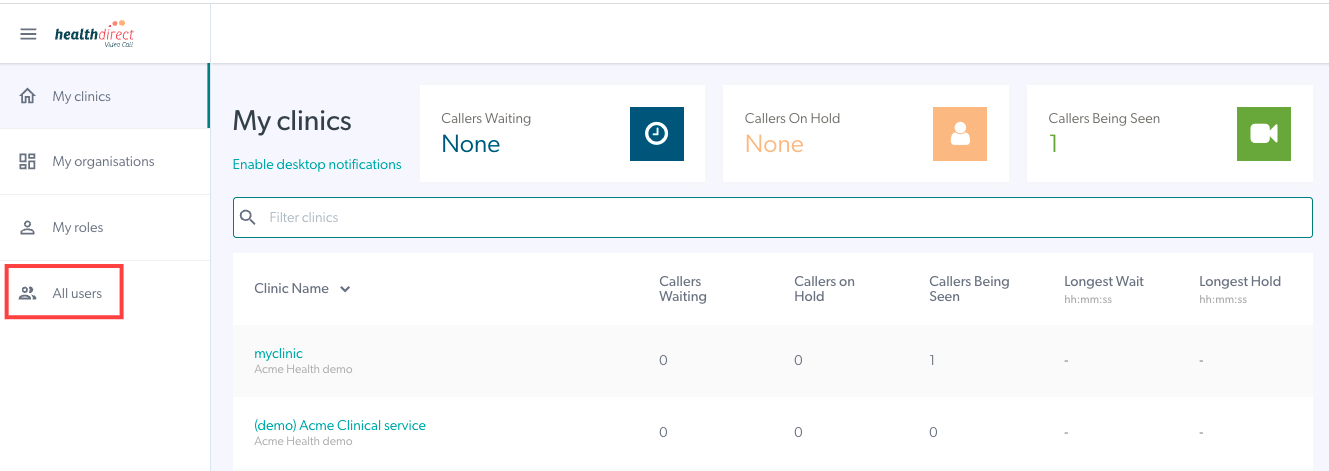
    1. Sign in to Video Call and  click on All users in the left menu.

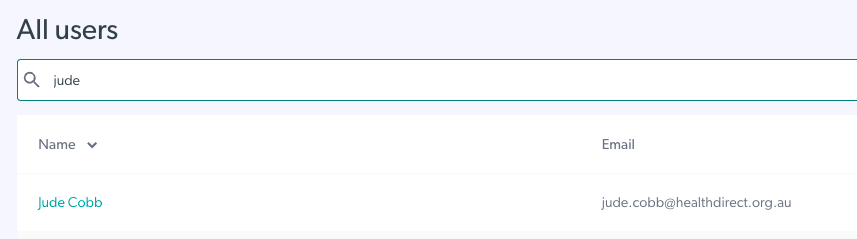
    2. On this screen you can view all users in your Organisation/s and the email address associated with their account.


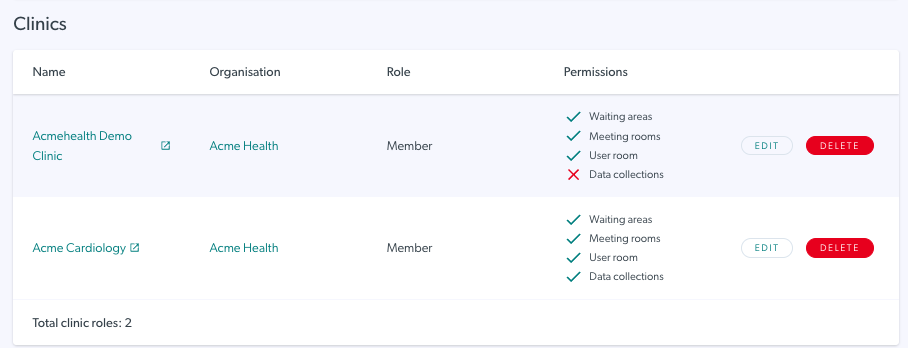
    3. Once you click on a selected user, you will see their name and the email address associated with their account, as well as the Organisation and Clinic roles they have in your organisation.

    You can edit their roles and permissions from this view and have the option to delete the user, if required.

    Please Note, to edit the permissions of a user in a clinic, see Adding and Managing Team Members.

    Can’t find what you’re looking for?

    Email support

    or speak to the Video Call team on 1800 580 771

    Internal Content